Wondershare PDFelement est un logiciel PDF polyvalent et accessible, conçu pour simplifier l’édition, la conversion et la gestion de documents PDF. Il combine une interface intuitive avec des fonctionnalités essentielles, ce qui en fait un choix pertinent pour un usage quotidien.
Specs
Fonctions principales : Édition, conversion, annotation, formulaires, sécurité
Formats pris en charge : PDF, Word, Excel, PowerPoint, images
OCR (reconnaissance de texte) : Oui (selon la version)
Sécurité : Mot de passe, permissions, signatures:
Pour
Interface claire et intuitive
Fonctionnalités complètes pour la majorité des usages
Conversion de fichiers efficace
Bon rapport qualité-prix
Contre
Certaines fonctionnalités avancées réservées aux versions payantes
Performances dépendantes de la taille et de la complexité des fichiers
Le format PDF est devenu incontournable dans les échanges professionnels et personnels. Contrats, factures, formulaires, rapports ou documents administratifs nécessitent souvent des outils capables de modifier, organiser et sécuriser les fichiers PDF sans complexité excessive. C’est dans ce contexte que les solutions d’édition PDF se sont largement développées.
Wondershare PDFelement s’impose comme l’un des logiciels PDF les plus populaires, grâce à un positionnement orienté simplicité, polyvalence et coût maîtrisé. Cet article propose une analyse claire et objective de Wondershare PDFelement, afin d’évaluer sa pertinence pour un usage personnel, professionnel ou académique.
Présentation du logiciel
Wondershare PDFelement est un logiciel d’édition et de gestion de fichiers PDF permettant de créer, modifier, convertir et sécuriser des documents. Il vise à offrir une alternative plus accessible aux solutions PDF traditionnelles, tout en couvrant l’essentiel des besoins courants.
Le logiciel s’adresse aussi bien aux particuliers qu’aux professionnels recherchant un outil fiable pour travailler efficacement avec des documents PDF.
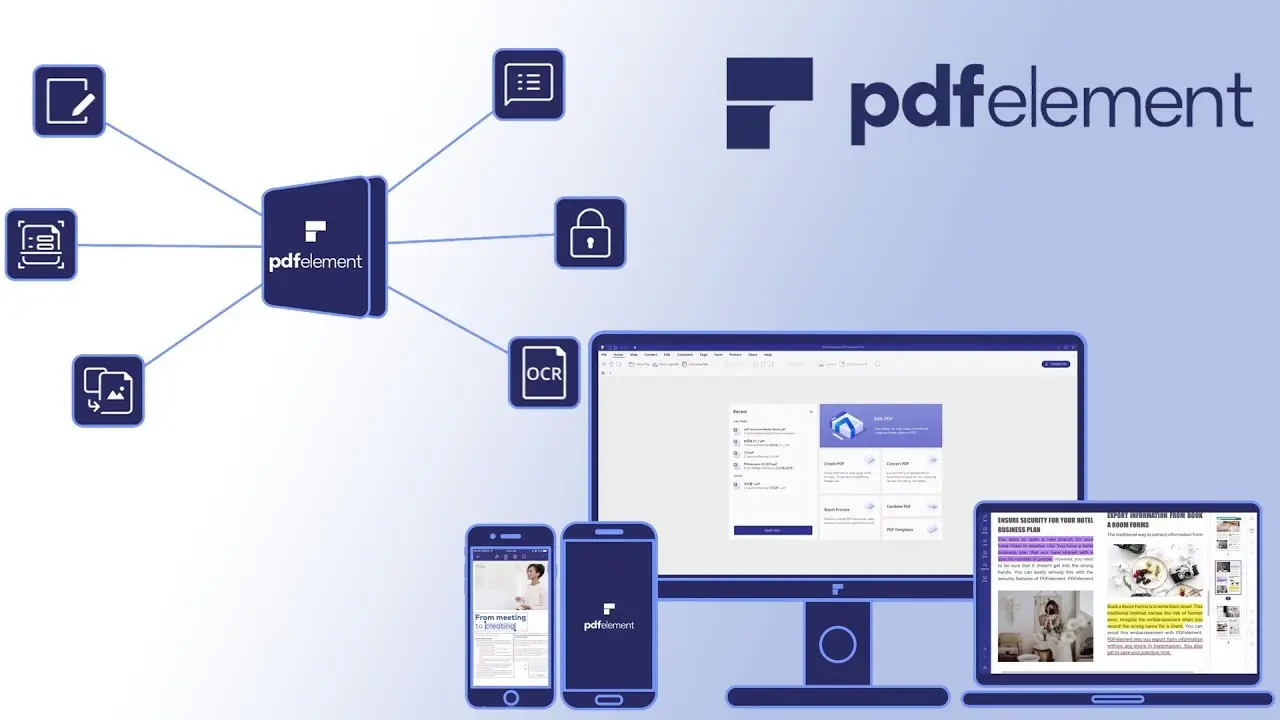
Wondershare PDFelement propose un ensemble de fonctionnalités couvrant les usages les plus fréquents :
Édition de texte et d’images dans les PDF
Conversion de fichiers (PDF vers Word, Excel, PowerPoint, etc.)
Création et remplissage de formulaires
Annotation et commentaires collaboratifs
Sécurisation des documents par mot de passe
Ces fonctionnalités permettent de gérer des documents PDF sans dépendre de plusieurs outils distincts.
Avantages et inconvénients
Points forts
Interface claire et intuitive
Fonctionnalités complètes pour la majorité des usages
Conversion de fichiers efficace
Bon rapport qualité-prix
Points à considérer
Certaines fonctionnalités avancées réservées aux versions payantes
Performances dépendantes de la taille et de la complexité des fichiers
Expérience utilisateur
L’un des points forts de Wondershare PDFelement réside dans sa prise en main rapide. L’interface est organisée de manière logique, avec des outils clairement identifiés. Même les utilisateurs peu expérimentés peuvent rapidement éditer ou convertir des PDF sans formation préalable.
Au quotidien, le logiciel se montre fluide et adapté à un usage régulier, que ce soit pour le travail ou les études.
Wondershare PDFelement offre des performances stables pour l’édition et la conversion de documents PDF standards. Les opérations courantes s’exécutent rapidement, et le logiciel reste fiable sur la durée pour un usage professionnel.
La compatibilité multi-plateforme renforce également sa flexibilité d’utilisation.
Tarifs et rapport qualité-prix
Wondershare PDFelement est proposé sous forme de licence payante, avec différentes formules adaptées aux particuliers et aux entreprises. Comparé à d’autres solutions PDF du marché, son rapport qualité-prix est l’un de ses principaux atouts, notamment pour les utilisateurs recherchant une solution complète sans coût excessif.
Résumé rapide
Wondershare PDFelement est un logiciel PDF polyvalent et accessible, conçu pour simplifier l’édition, la conversion et la gestion de documents PDF. Il combine une interface intuitive avec des fonctionnalités essentielles, ce qui en fait un choix pertinent pour un usage quotidien.
I really like it when individuals get together and share thoughts.
Great site, stick with it!
Thank you! 😊 I really appreciate that.
I’m glad you enjoy the discussions here, and I’ll definitely keep it going. Thanks for the encouragement!
Admiring the time and energy you put into your site and detailed information you present.
It’s nice to come across a blog every once in a while that isn’t the same unwanted rehashed information. Great read!
I’ve bookmarked your site and I’m including your RSS feeds to my Google account.
Thank you so much for the kind words! 😊
I really appreciate you noticing the effort that goes into creating original and detailed content. I’m glad you enjoyed the read.
Thanks for bookmarking the site and subscribing to the RSS feed — your support truly means a lot!
Good day! Do you know if they make any plugins to help with Search Engine
Optimization? I’m trying to get my blog to rank for some targeted
keywords but I’m not seeing very good success.
If you know of any please share. Appreciate it!
Yes — there are plugins that can help a lot with Search Engine Optimization (SEO) on WordPress. The two most popular ones are:
• Yoast SEO – great for beginners and advanced users alike. It helps you optimize titles, meta descriptions, content readability, and more.
• Rank Math – similar to Yoast but with extra features in the free version, especially for keyword optimization and rich SEO settings.
Both plugins give you real-time suggestions as you write your posts to improve your chances of ranking for your chosen keywords.
A few tips alongside plugins:
– Choose one main keyword per post and use it naturally (title, first paragraph, headings).
– Write content that truly answers what users are searching for.
– Use internal linking (link to your other posts) and make sure your site loads fast and is mobile-friendly.
I have to thank you for the efforts you have put in writing this site.
I am hoping to see the same high-grade content from you later
on as well. In fact, your creative writing abilities
has motivated me to get my very own blog now 😉
Thank you so much — that truly means a lot to me! 😊
I’m really glad the content inspired you to start your own blog. That’s the best compliment I could receive.
I wish you the best of luck with your blogging journey, and thanks again for the encouragement!
For the reason that the admin of this site is working, no question very
soon it will be famous, due to its quality contents.
Thank you so much for your kind words and encouragement 😊
I really appreciate the support, and I’ll keep doing my best to share quality content.
Thanks for taking the time to comment!
Contains information related to marketing campaigns of the user. These are shared with Google AdWords / Google Ads when the Google Ads and Google Analytics accounts are linked together.
90 days
__utma
ID used to identify users and sessions
2 years after last activity
__utmt
Used to monitor number of Google Analytics server requests
10 minutes
__utmb
Used to distinguish new sessions and visits. This cookie is set when the GA.js javascript library is loaded and there is no existing __utmb cookie. The cookie is updated every time data is sent to the Google Analytics server.
30 minutes after last activity
__utmc
Used only with old Urchin versions of Google Analytics and not with GA.js. Was used to distinguish between new sessions and visits at the end of a session.
End of session (browser)
__utmz
Contains information about the traffic source or campaign that directed user to the website. The cookie is set when the GA.js javascript is loaded and updated when data is sent to the Google Anaytics server
6 months after last activity
__utmv
Contains custom information set by the web developer via the _setCustomVar method in Google Analytics. This cookie is updated every time new data is sent to the Google Analytics server.
2 years after last activity
__utmx
Used to determine whether a user is included in an A / B or Multivariate test.
18 months
_ga
ID used to identify users
2 years
_gali
Used by Google Analytics to determine which links on a page are being clicked
30 seconds
_ga_
ID used to identify users
2 years
_gid
ID used to identify users for 24 hours after last activity
24 hours
_gat
Used to monitor number of Google Analytics server requests when using Google Tag Manager










I really like it when individuals get together and share thoughts.
Great site, stick with it!
Thank you! 😊 I really appreciate that.
I’m glad you enjoy the discussions here, and I’ll definitely keep it going. Thanks for the encouragement!
Admiring the time and energy you put into your site and detailed information you present.
It’s nice to come across a blog every once in a while that isn’t the same unwanted rehashed information. Great read!
I’ve bookmarked your site and I’m including your RSS feeds to my Google account.
Thank you so much for the kind words! 😊
I really appreciate you noticing the effort that goes into creating original and detailed content. I’m glad you enjoyed the read.
Thanks for bookmarking the site and subscribing to the RSS feed — your support truly means a lot!
Good day! Do you know if they make any plugins to help with Search Engine
Optimization? I’m trying to get my blog to rank for some targeted
keywords but I’m not seeing very good success.
If you know of any please share. Appreciate it!
Yes — there are plugins that can help a lot with Search Engine Optimization (SEO) on WordPress. The two most popular ones are:
• Yoast SEO – great for beginners and advanced users alike. It helps you optimize titles, meta descriptions, content readability, and more.
• Rank Math – similar to Yoast but with extra features in the free version, especially for keyword optimization and rich SEO settings.
Both plugins give you real-time suggestions as you write your posts to improve your chances of ranking for your chosen keywords.
A few tips alongside plugins:
– Choose one main keyword per post and use it naturally (title, first paragraph, headings).
– Write content that truly answers what users are searching for.
– Use internal linking (link to your other posts) and make sure your site loads fast and is mobile-friendly.
I have to thank you for the efforts you have put in writing this site.
I am hoping to see the same high-grade content from you later
on as well. In fact, your creative writing abilities
has motivated me to get my very own blog now 😉
Thank you so much — that truly means a lot to me! 😊
I’m really glad the content inspired you to start your own blog. That’s the best compliment I could receive.
I wish you the best of luck with your blogging journey, and thanks again for the encouragement!
For the reason that the admin of this site is working, no question very
soon it will be famous, due to its quality contents.
Thank you so much for your kind words and encouragement 😊
I really appreciate the support, and I’ll keep doing my best to share quality content.
Thanks for taking the time to comment!